

Pantone® color guide for custom tents
Your brand starts with the right colors. Find a color reference, prepare your artwork and understand how your design comes to life on printed fabric.
Explore the Pantone color charts
Open a sheet to view the reference numbers, or download the full guide. Already have brand guidelines? Send us the Pantone codes specified there.
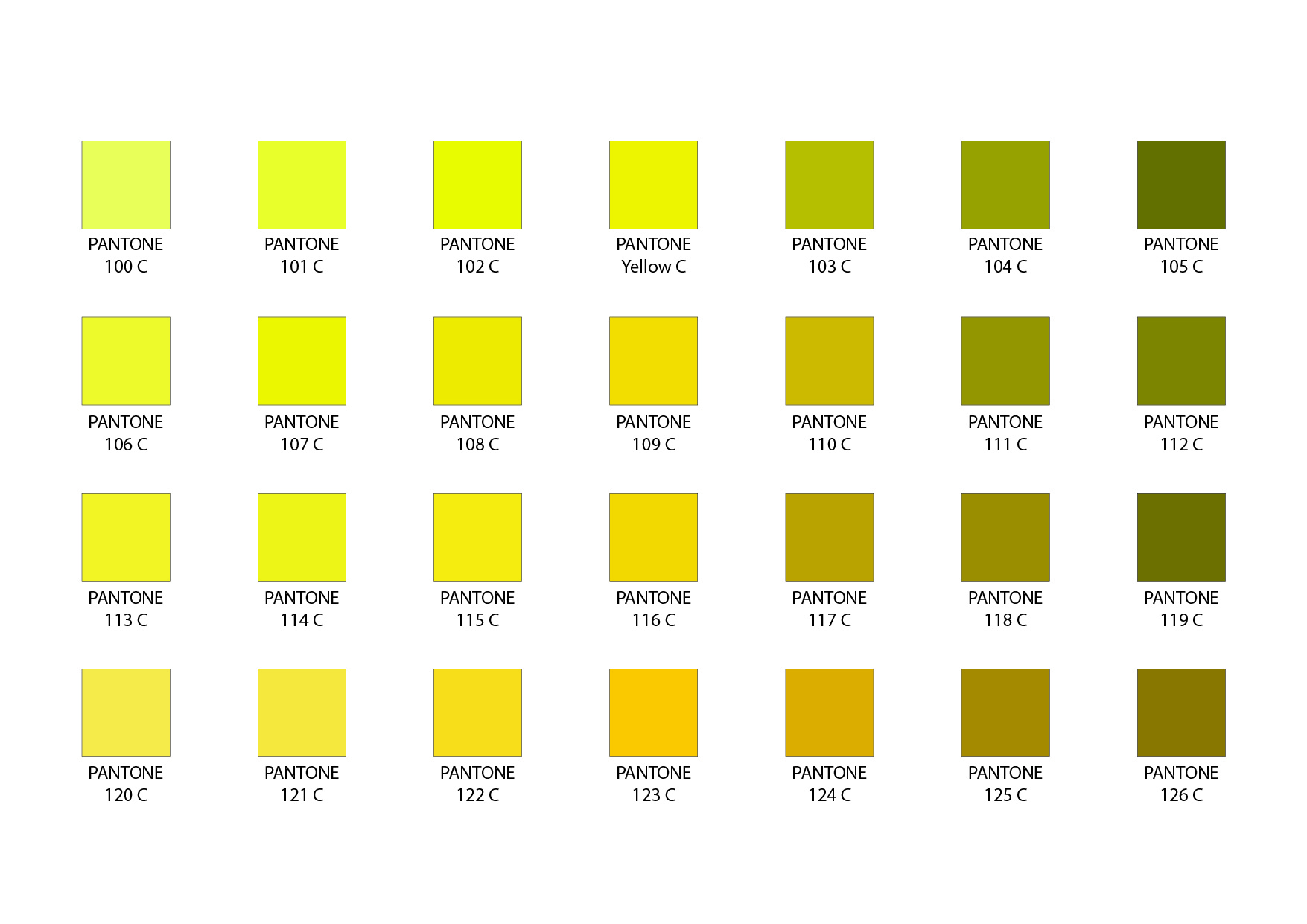 Guide page 02Pantone Coated
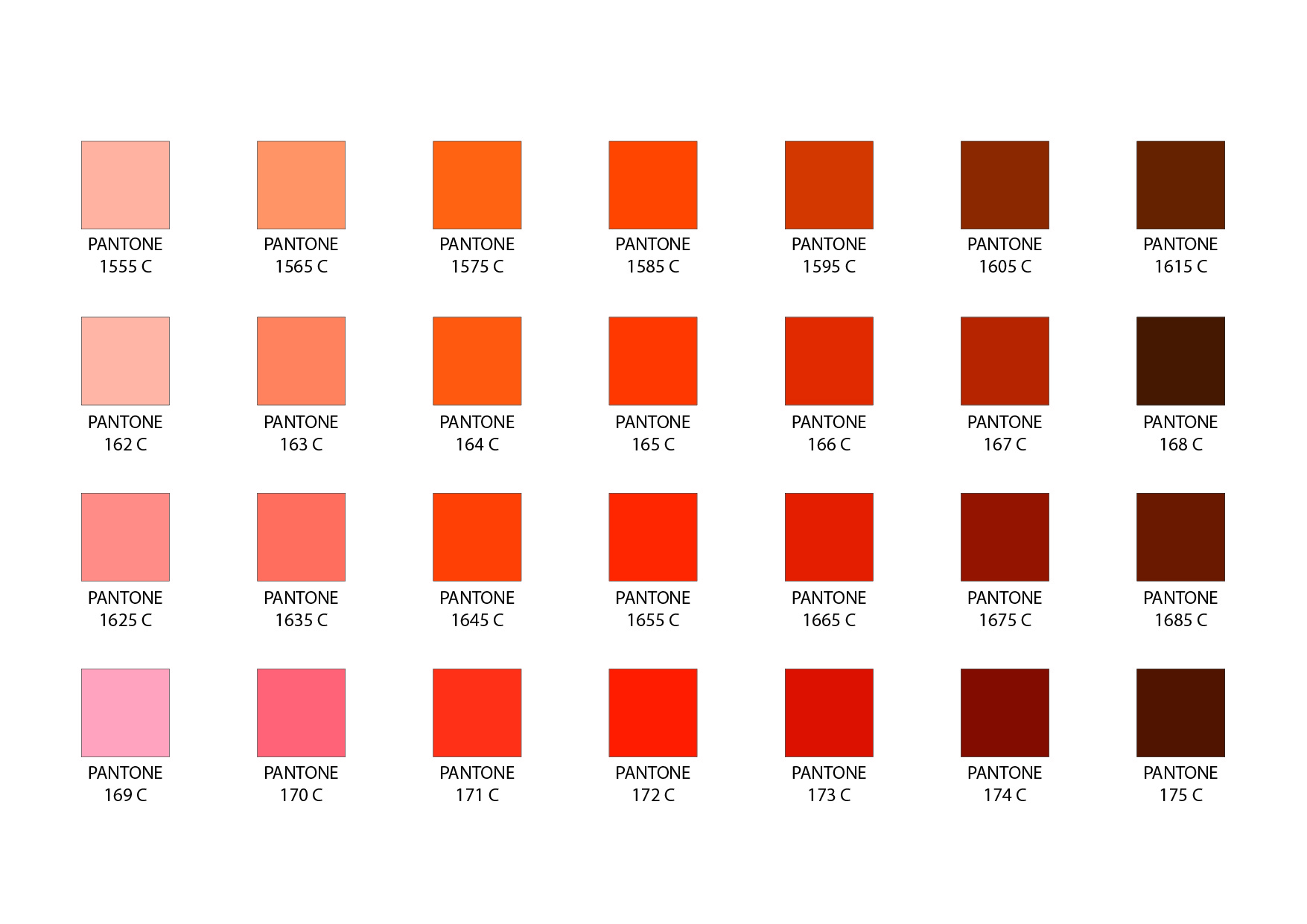 Guide page 05Pantone Coated
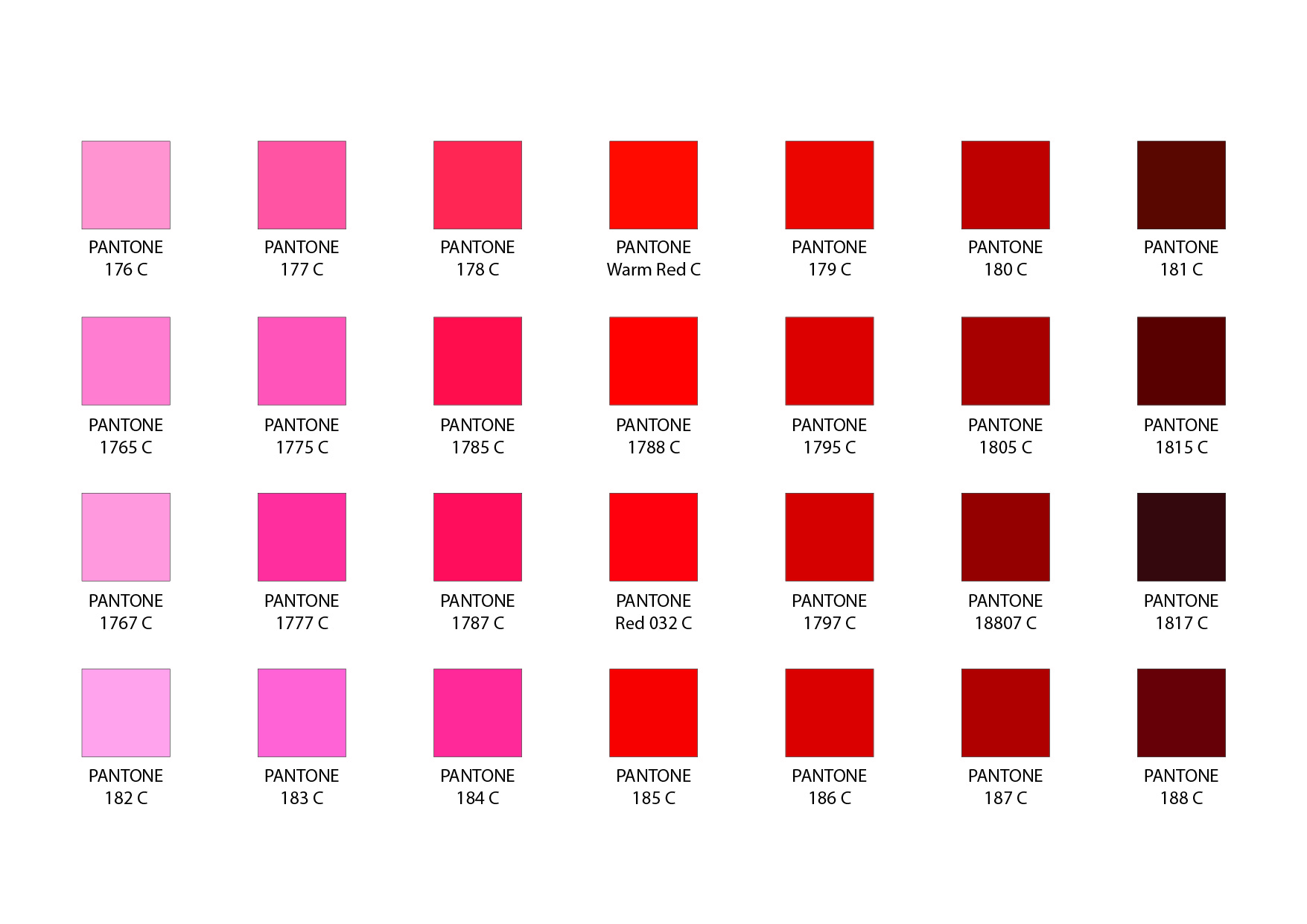 Guide page 06Pantone Coated
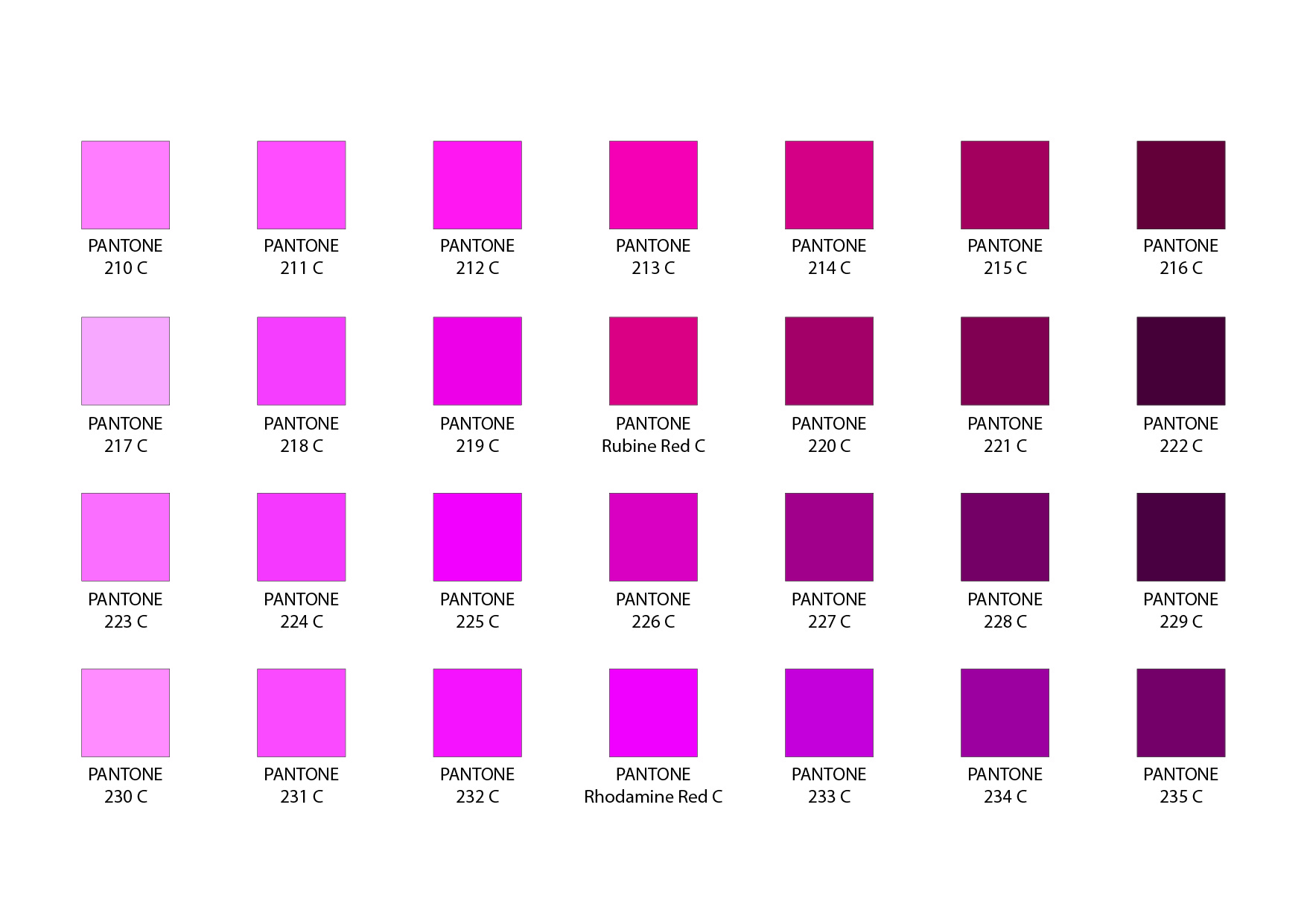 Guide page 08Pantone Coated
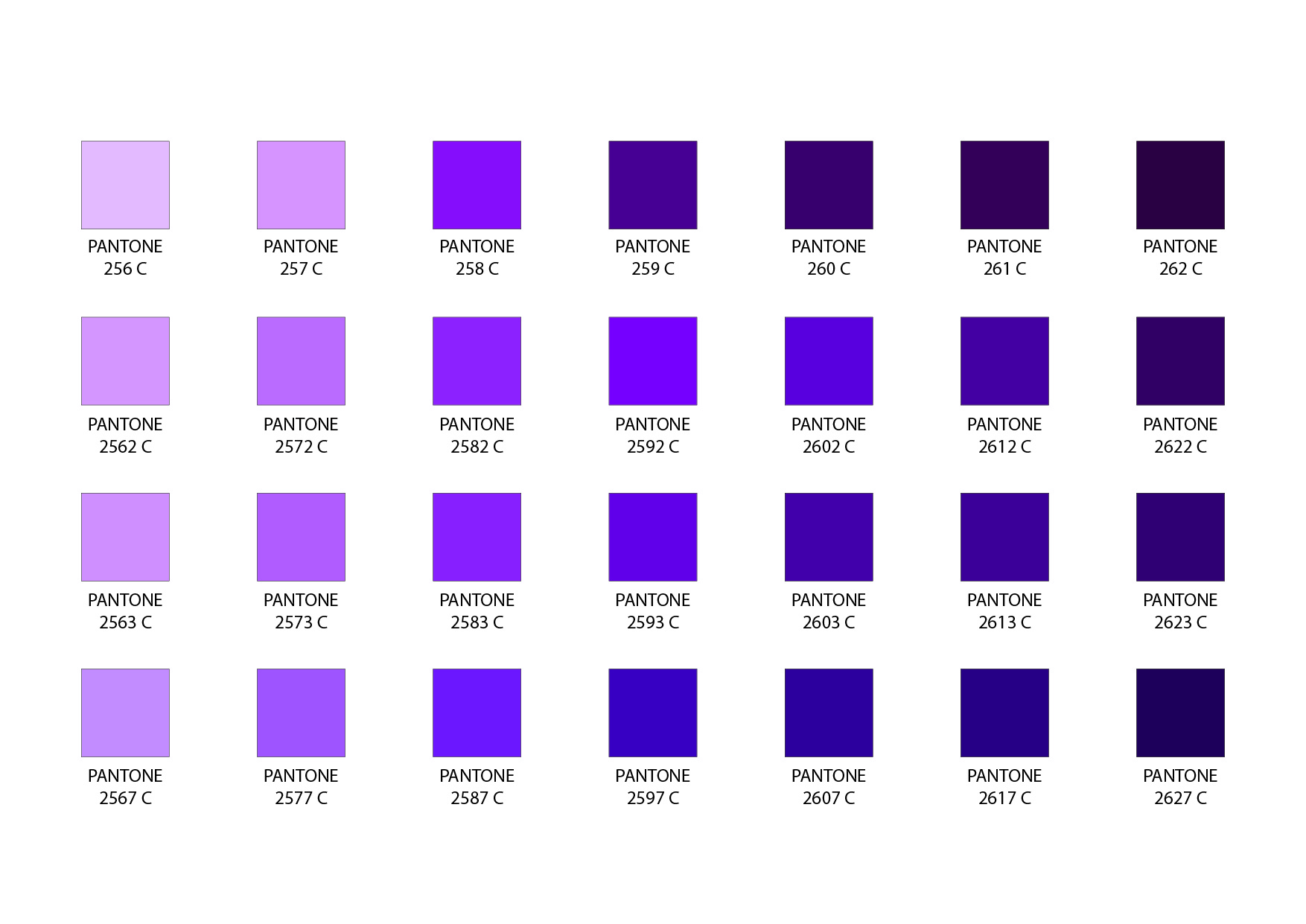 Guide page 10Pantone Coated
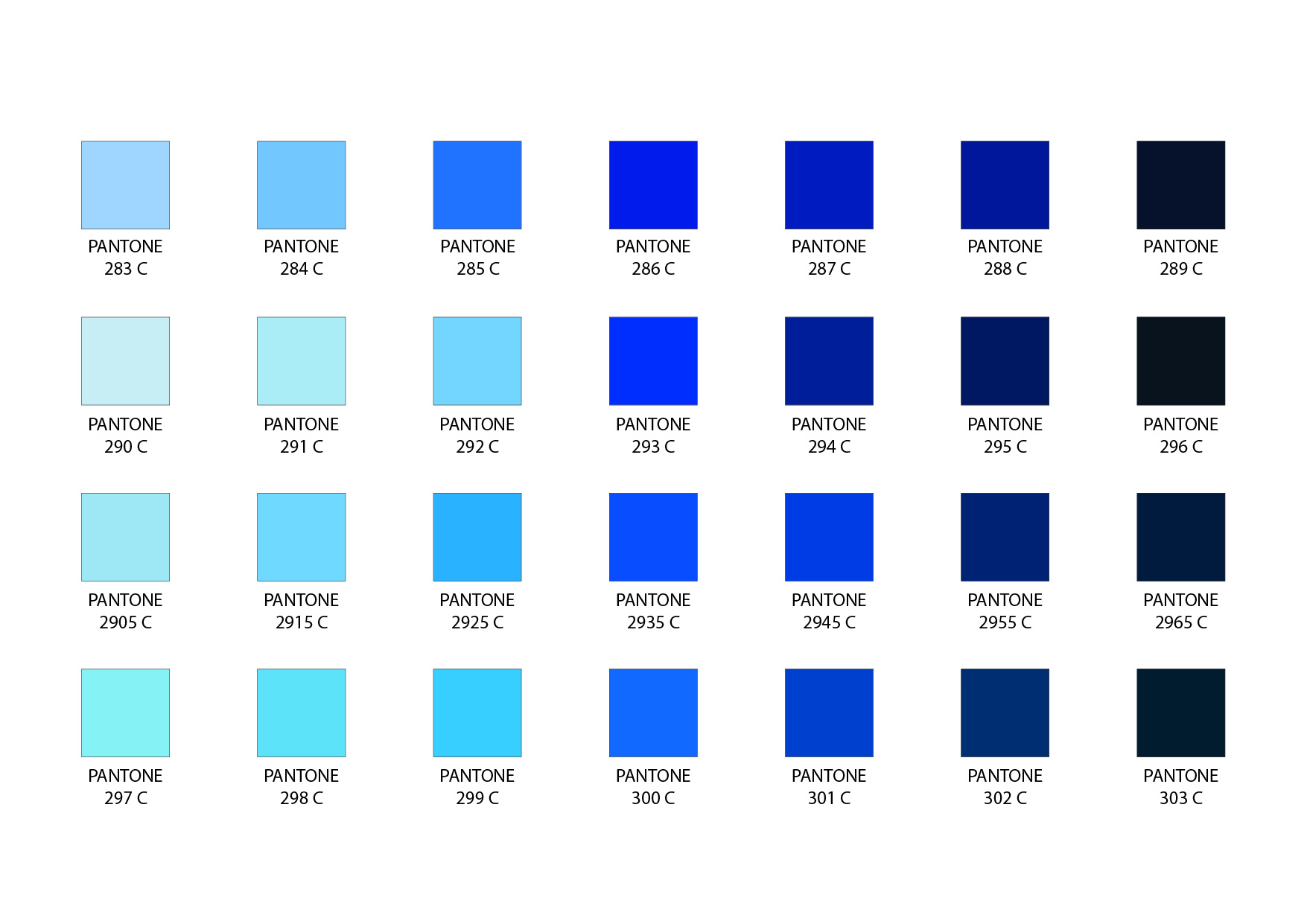 Guide page 13Pantone Coated
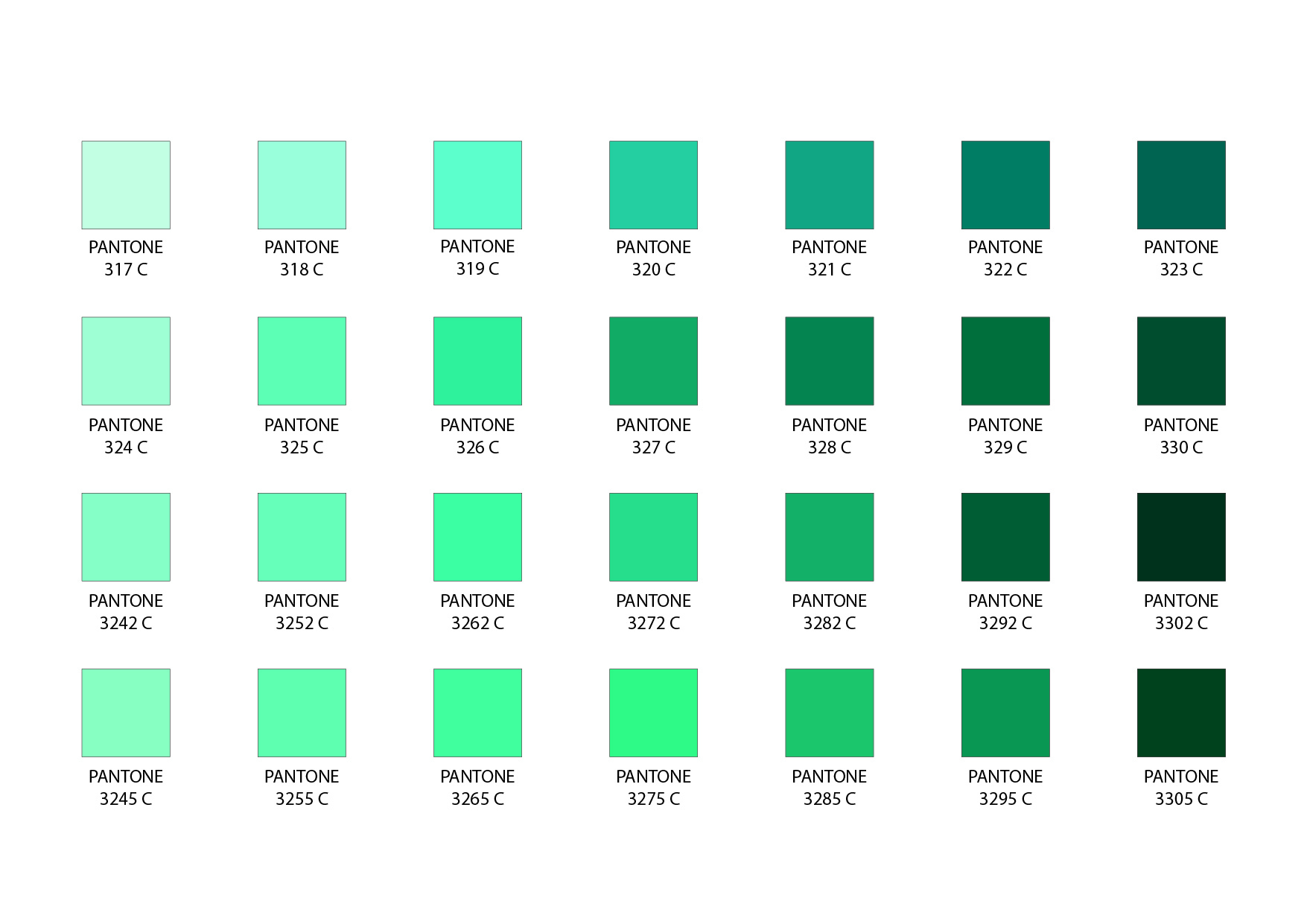 Guide page 15Pantone Coated
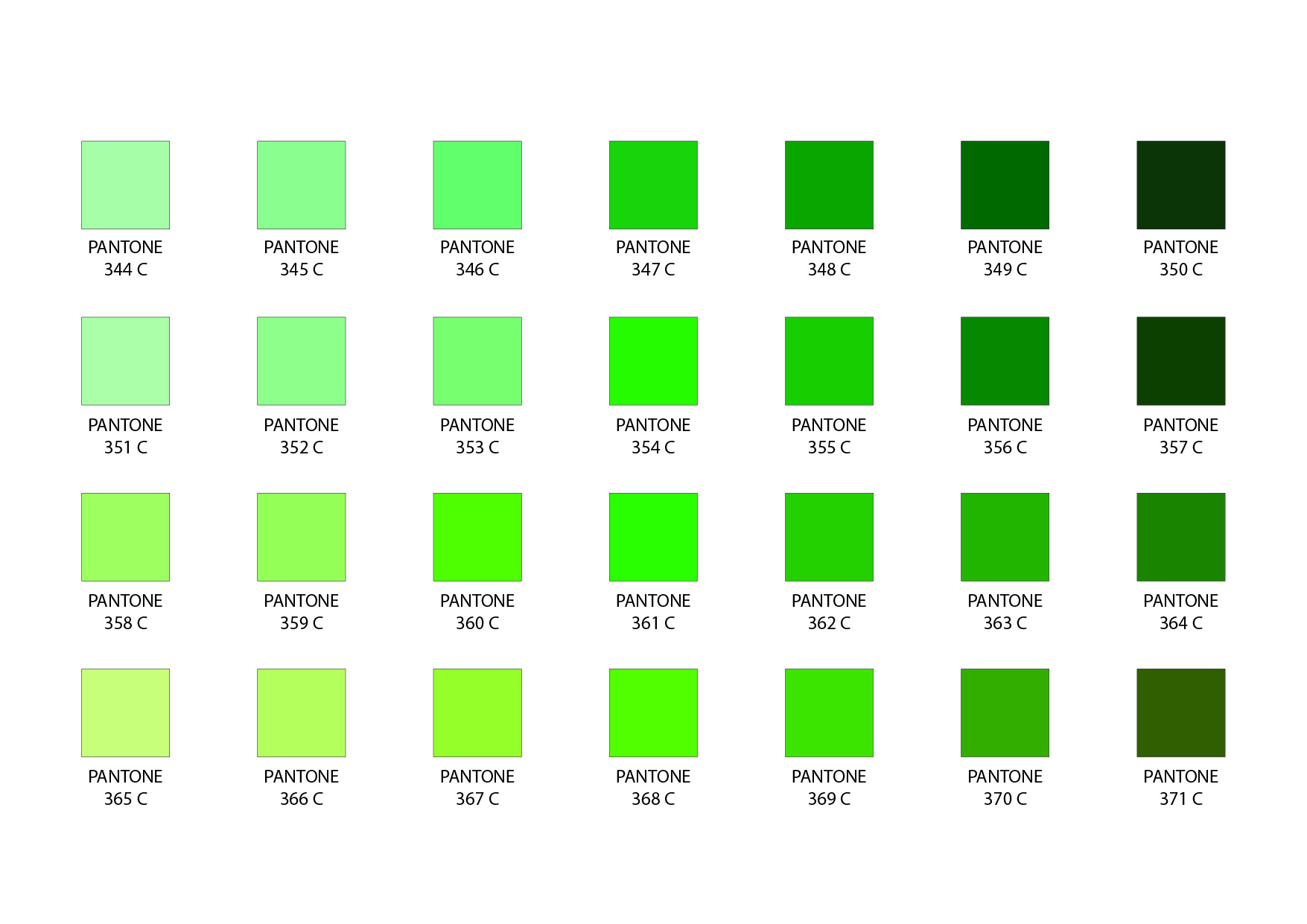 Guide page 17Pantone Coated
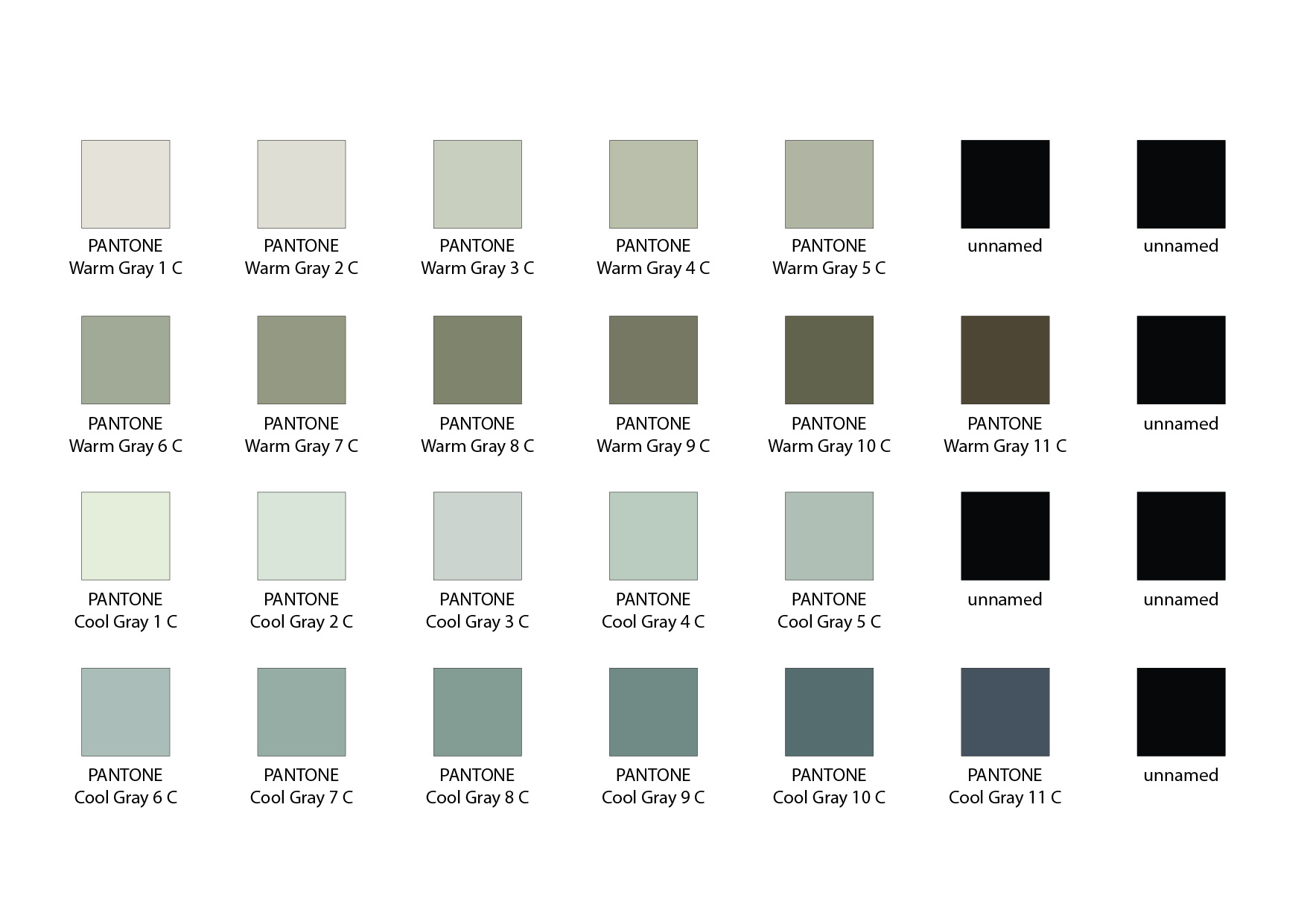 Guide page 21Pantone Coated
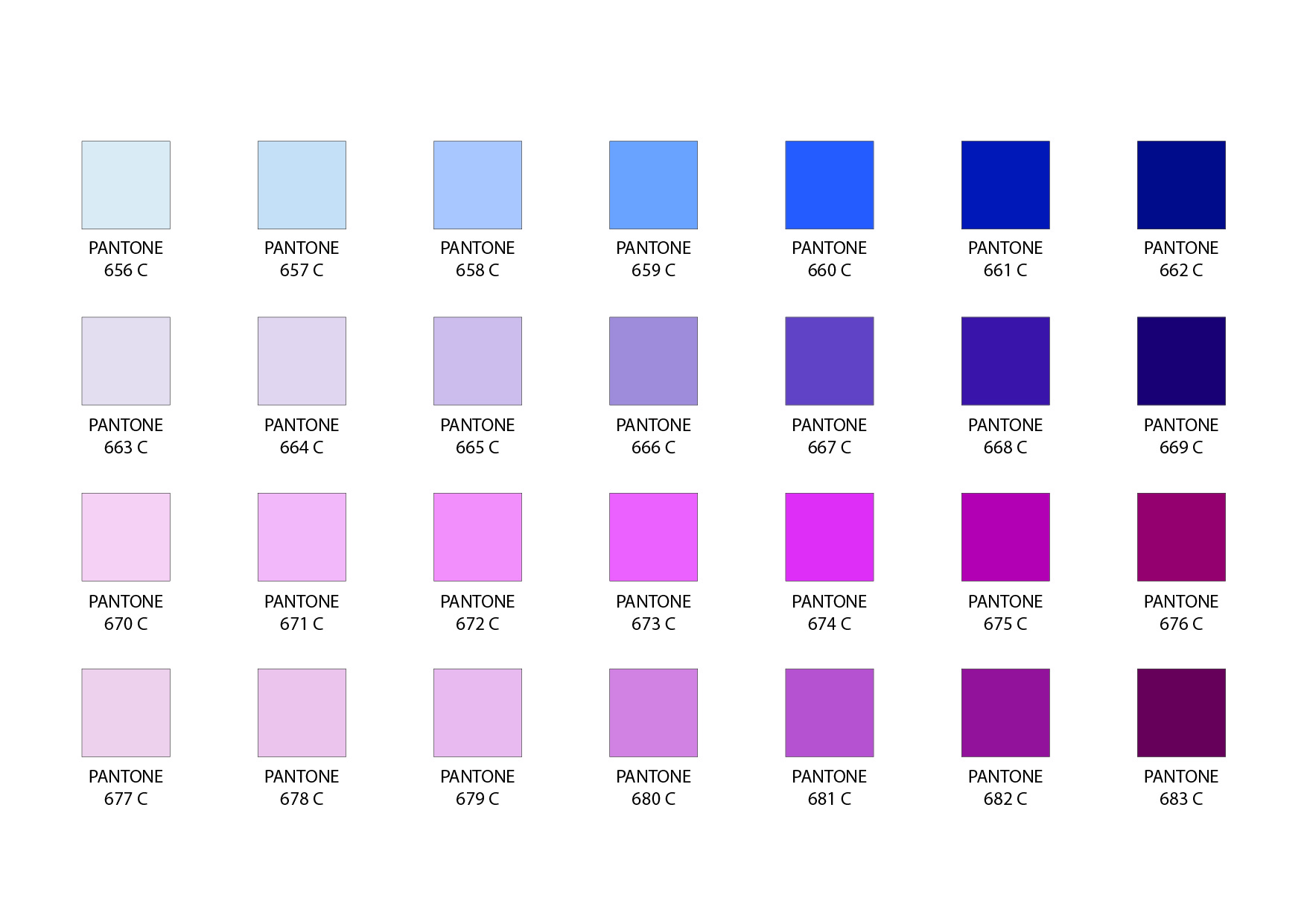 Guide page 33Pantone Coated
 Guide page 37Pantone Coated
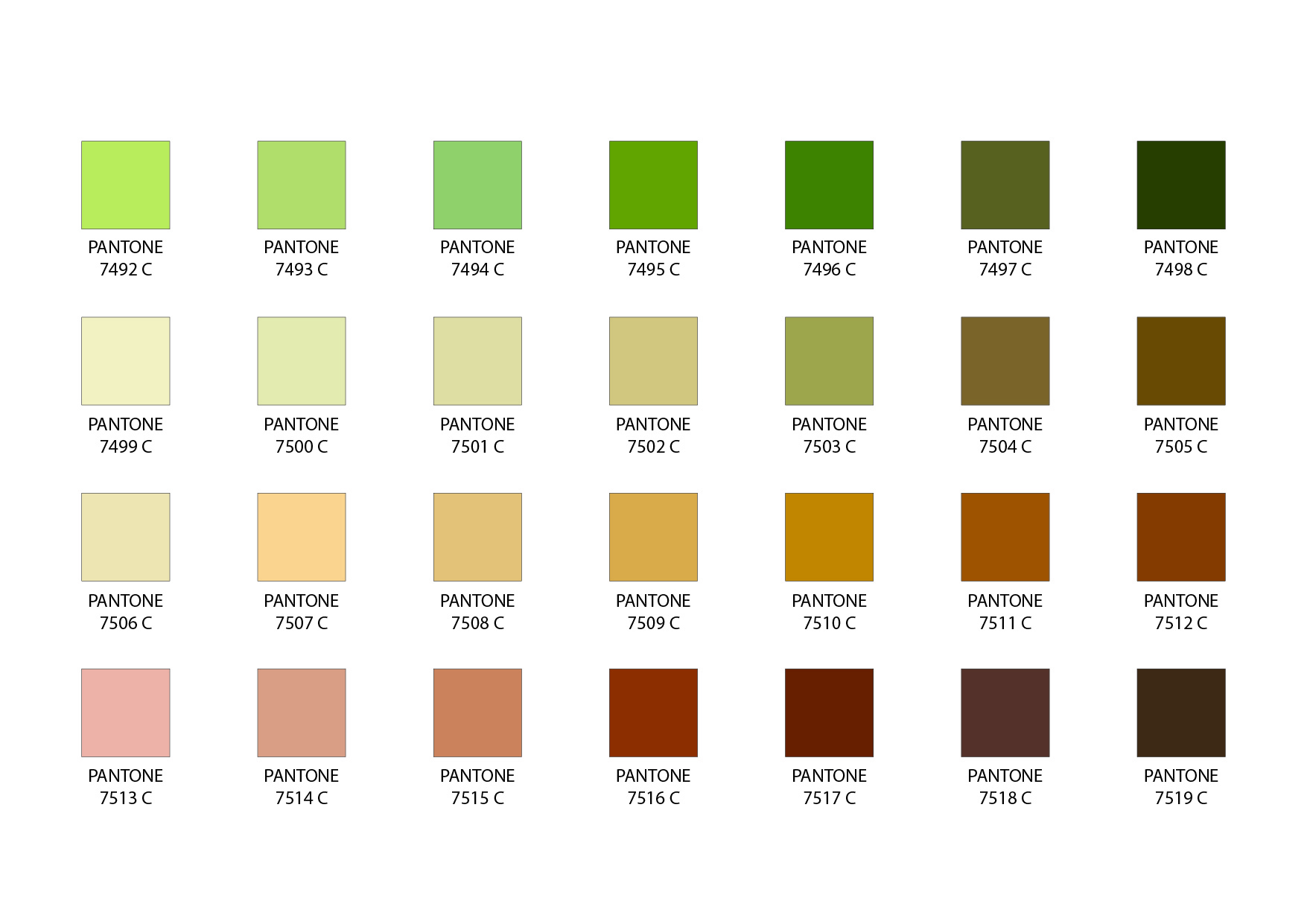 Guide page 39Pantone Coated
Pantone, CMYK and RGB explained
These terms play different roles in preparing your design. Share your brand references alongside the original artwork so our team can check both.
Pantone
A named color reference gives our print team a clear target. Include the complete code and suffix exactly as shown in your brand guidelines, and identify where each color belongs.
Especially useful for logos and large areas of solid canopy color.
CMYK
Cyan, magenta, yellow and black describe process-print colors. Our artwork requirements ask for CMYK files, with any Pantone matching requirements clearly identified.
Keep your original editable file and ask us if you are unsure about conversion.
RGB
Screens use red, green and blue light. Display settings and the available color range can make a digital visual look different from the finished print.
Check layout on screen; communicate critical colors using your brand references.
Full-color printing, made for your brand
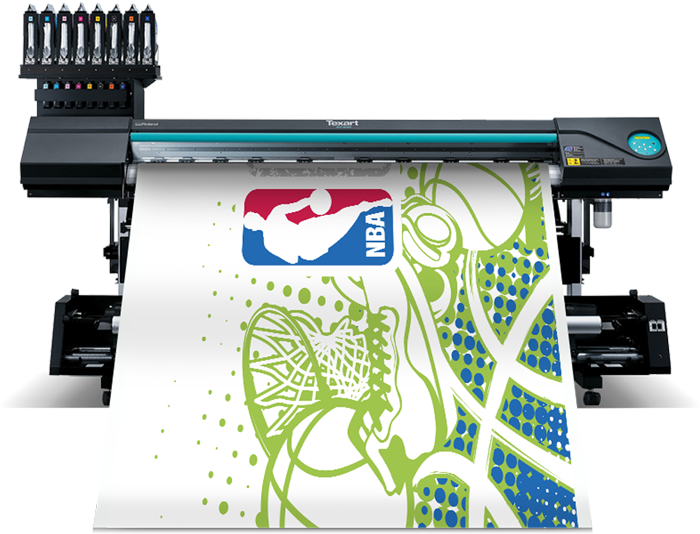
Our custom tent graphics use dye sublimation on 600-denier polyester. Heat transfers the dye into the polyester fibers, creating vibrant printed fabric for your event setup.
The process supports logos, photographs, gradients and solid backgrounds. Your artwork can cover the peaks and valances, with coordinating graphics on the walls included in your chosen package.
Fabric texture, light and the printable color range all affect the finished appearance. Pantone references help us work toward your intended result; tell us early if a particular brand color is critical.
Explore our custom printed tents or compare tent packages and pricing.
A better print starts with a clear brief
Use this checklist when sending your design. A few details up front help your artwork review run smoothly.
-
Share your brand colors
Send your brand guidelines and full Pantone references. Identify the colors for your logo, roof background, valances and walls. Tell us if the tent needs to coordinate with existing displays.
-
Send the original artwork
Vector logos in AI, EPS or vector PDF format stay sharp when enlarged. Convert text to outlines and include linked images. Saving a small JPEG as a PDF does not make it a vector file.
-
Design for the whole tent
Use the template for your selected size and package. Keep important text and logos inside its safe areas and account for seams, roof slopes and valance edges. Supply photos at the highest available resolution for review at print size.
-
Review every printed panel
Check spelling, logo placement, contact details, panel orientation and the listed color references. If a precise match is essential, discuss fabric proofing options before approving production.
Color confidence before you print
Need help with a specific brand color? Talk to our team before placing your order.
Will my tent look exactly like the image on my screen?
Your visual helps you approve the design and layout. Screen brightness, calibration, fabric and lighting can change the appearance of a color. Use your Pantone references to communicate critical colors, and discuss proofing if color accuracy is essential.
Does a Pantone code guarantee an exact match?
It provides a clear matching target. The achievable result depends on the color, ink, fabric and print process. Some colors fall outside the printable range, so an exact match cannot be assumed. Flag color-critical requirements before production.
What if I only know my HEX, RGB or CMYK values?
Send those values with your original logo and any brand guidelines. Explain which colors matter most. Our team can review the available references with you; an automatic online conversion should not be treated as an approved Pantone match.
Can you print photographs and gradients?
Yes. Dye sublimation supports full-color graphics, including photographs and gradients. Image quality depends on the source file and its final printed size. Send your highest-resolution originals so our team can review them for the selected tent.
How do I coordinate a new tent with existing displays?
Share your previous order details, artwork and Pantone references, and tell us which items need to coordinate. Different materials, print methods, production runs and outdoor exposure can affect the appearance. Discuss the reference and proofing approach with our team before ordering.
Ready to see your custom tent?
Choose a package, upload your logo and share your color references. Our team will help you take the next step.
PANTONE® is a registered trademark of Pantone LLC. Digital charts are reference images; they are not physical color standards or fabric proofs.